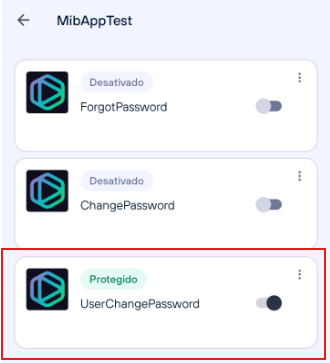
UserChangePassword
This operation allows interaction with the user password change flow via Authorization, ensuring that the password change action cannot be performed without approval through the LockServer integration service.
How to configure?
MIBAUTHORIZATIONSERVERCONFIG_LOCKSERVER_OPERATIONS=OperationName1:OperationId1:OperationStatus1
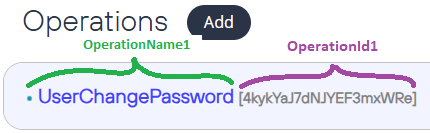
MIBAUTHORIZATIONSERVERCONFIG_LOCKSERVER_OPERATIONS=UserChangePassword:{operationId1}:true
There is also a specific dictionary containing the message displayed to the user if this operation blocks their action:
{DICT:LOCKSERVER/OPERATIONBLOCKEDBYTHEUSER}
Which flows are impacted by the operation?
The flows that can be monitored by this operation are:
User profile
When attempting to change the password through their own profile, upon saving the record, a message will be displayed informing them that this operation is protected and cannot be executed. The route in Authorization is /account.
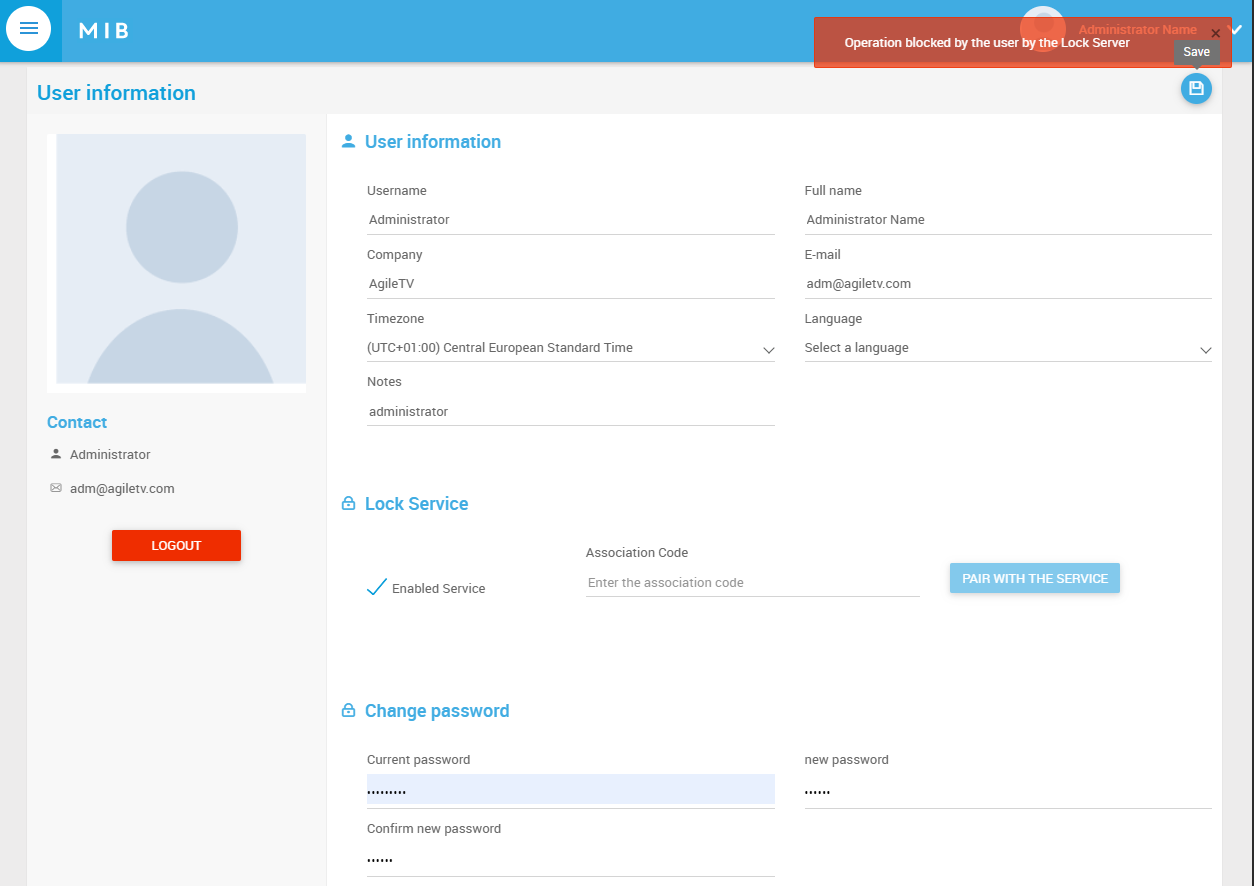
Administrator profile
As an administrator, when attempting to change another user's password, upon saving the record, a message will be displayed informing that this operation is protected and cannot be executed. The route in Authorization is /Admin/Users/edit?username=XXXX.
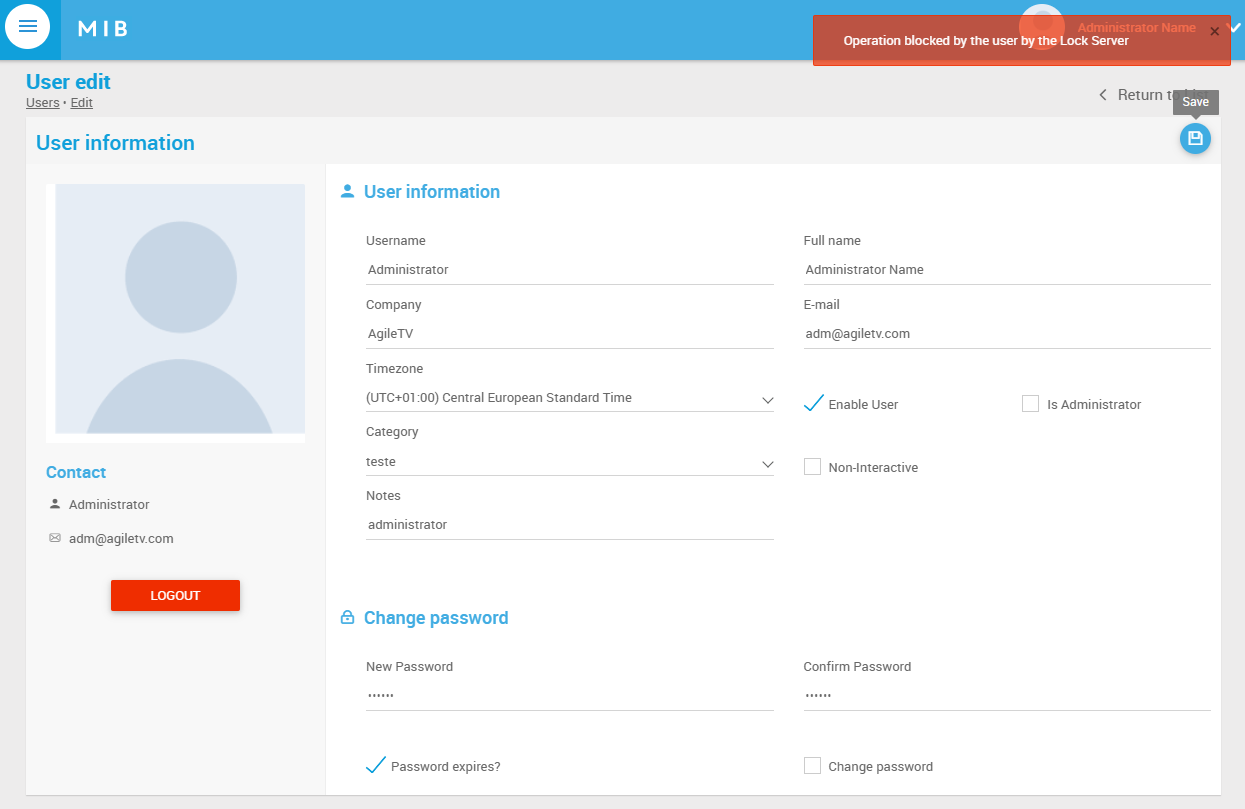
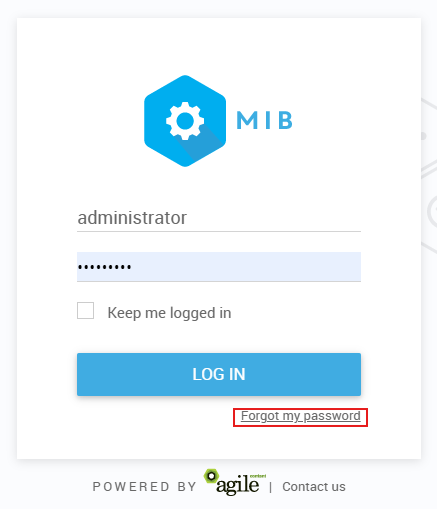
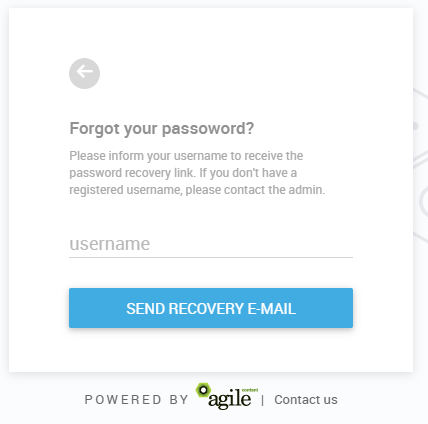
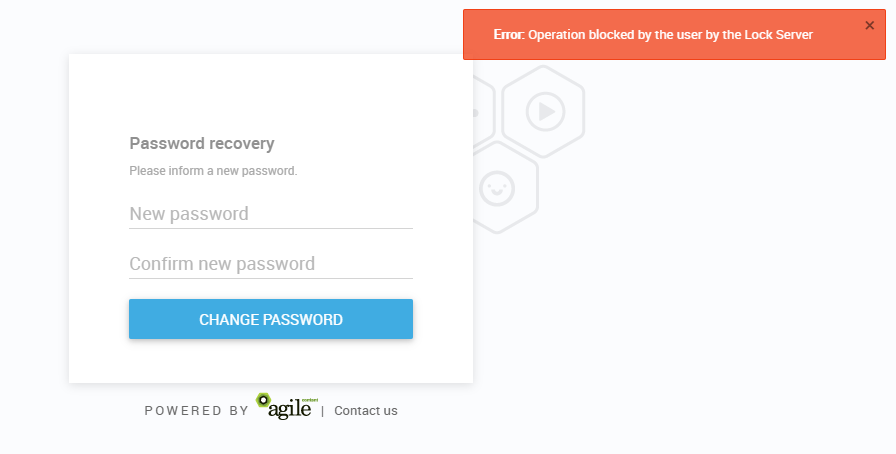
Forgot my password
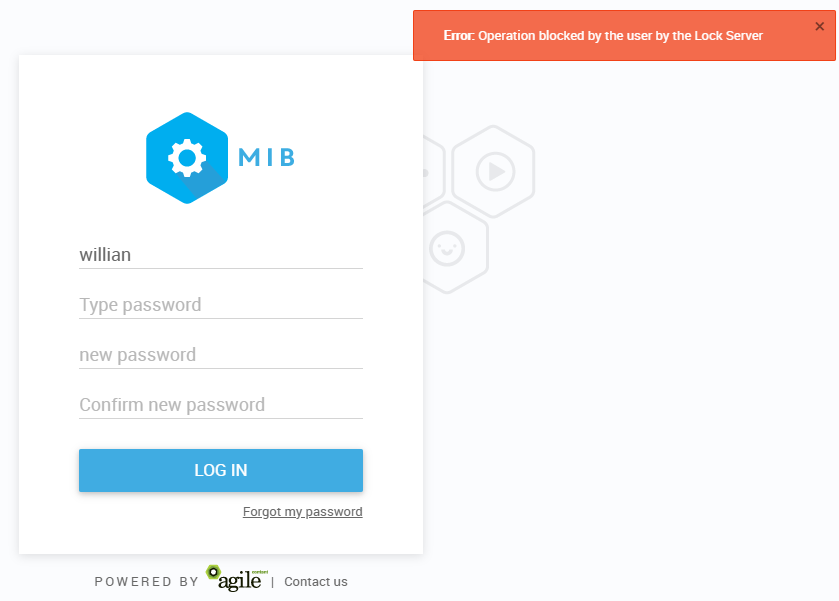
When performing the forgot my password process, a message will be displayed informing that this operation is protected and cannot be executed.
Password expiration
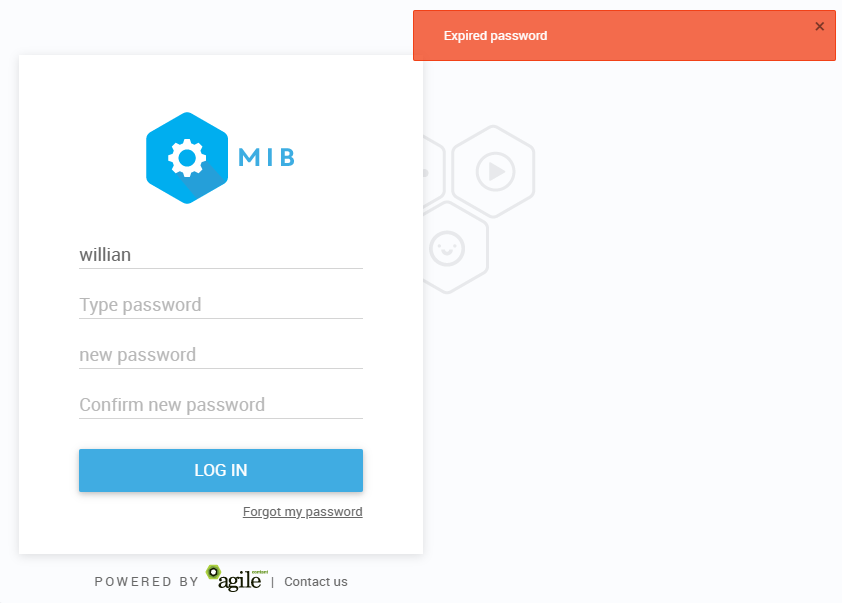
When performing the password reset after expiration, a message will be displayed informing that this operation is protected and cannot be executed.
Note
The flows below will be presented assuming that the operation is protected in the app integrated with the LockServer service. Example: