Latch pairing (deprecated)
Warning
Deprecated. The Latch provider (LockServer.Type=Latch) still works on MIB 7.0 but should not be
used for new installs. Use the platform-agnostic LocalTotp provider —
Two-factor authentication (TOTP). This page is kept for installs that still run Latch.
With Type=Latch, the Lock Server delegates to Latch, Telefónica's service.
It needs a Latch licence and an application created on the Latch site, configured in the lockserver
section of MibAuthorizationServerConfig:
MIBAUTHORIZATIONSERVERCONFIG_LOCKSERVER_ENABLED=true
MIBAUTHORIZATIONSERVERCONFIG_LOCKSERVER_TYPE=Latch
MIBAUTHORIZATIONSERVERCONFIG_LOCKSERVER_URL=<Latch API base URL>
MIBAUTHORIZATIONSERVERCONFIG_LOCKSERVER_APPLICATIONID=<Latch application id>
MIBAUTHORIZATIONSERVERCONFIG_LOCKSERVER_APPLICATIONSECRET=<Latch application secret>
MIBAUTHORIZATIONSERVERCONFIG_LOCKSERVER_OPERATIONS=UserChangePassword:<Latch operation id>:true
Pair and unpair
Under Latch, the CMS Account page (avatar → Manage account) shows a Latch field in its Lock
Service section (MEDIAIBOX-12336):
In the Latch app (Apple, Android), generate a pairing code:
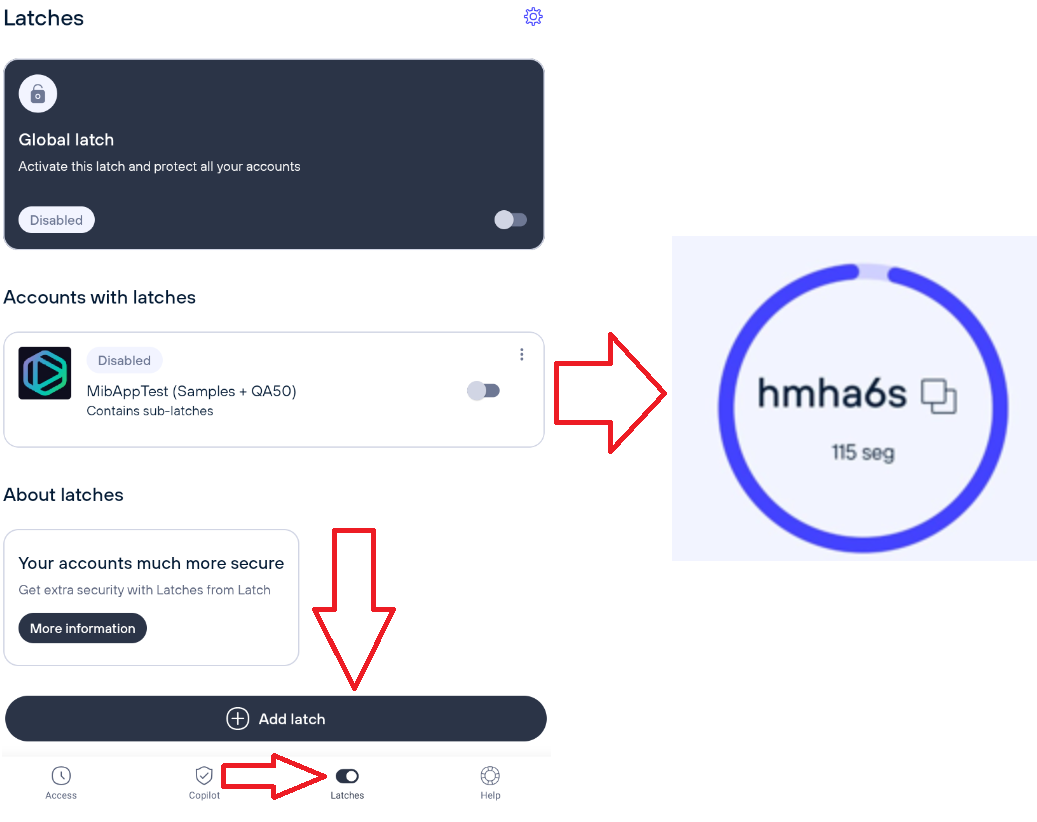
Enter it in the Latch field of the Account page and pair. The phone confirms the pairing.
To unpair, switch the Latch field off and save.
The pairing is stored on the user's ADM_USERS row: LOCK_ENABLED and LOCK_ACCOUNT_ID (the Latch
account id, also listed for the application on the Latch site):
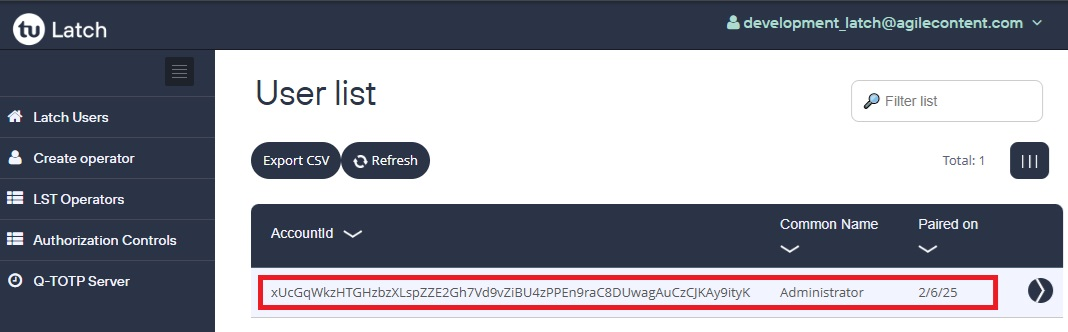
Unpairing clears both columns.