MediaiBox Cms
TeamCity + Build Version Process
Introduction
The idea of this documentation is to explain the general process of building beta and official versions.
It will explain how to create beta branches, adjust the TC to point to the correct branch after creating the beta.
It will have a step-by-step guide on how to generate changelogs and publish them.
It will describe the procedures for merging between branches.
How to access TeamCity
Access the url in the desired browser and log in:
https://teamcity.platform.agilecontent.solutions/project/MediaIBox?mode=builds
Build a beta version
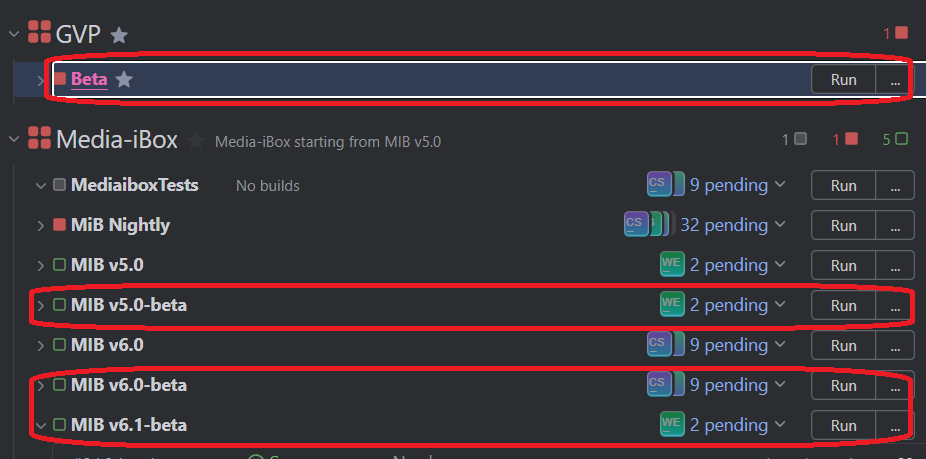
Choose the desired beta section and click "Run".
Build a official version
Go to the official mib section and click "Run".

Note
To generate the official version of the mib you need to have access permissions,
Update changelog
Access the mib Docs and open the nextChangelog.md file.

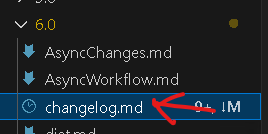
Access the respective version and edit the changelog.md file.
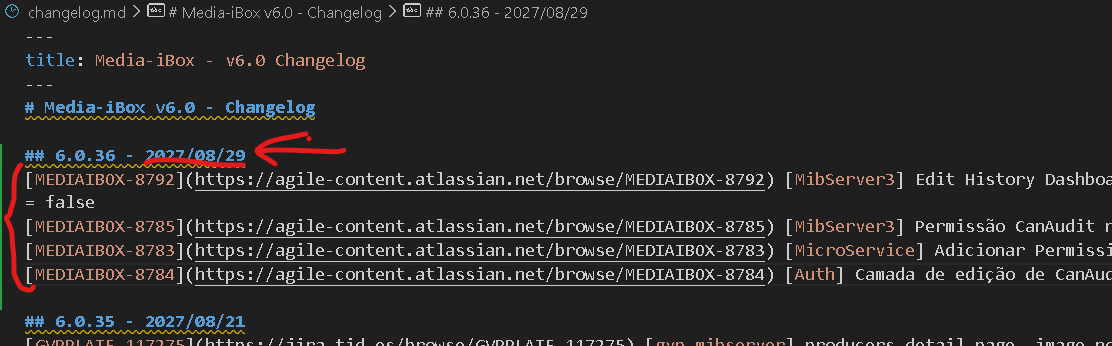
Add the version and date the official build was generated to the title. Below, paste the PRs that will be included in the package.
Note
To check if there was a PR missing or if it was lost in the Docs merges, access the desired project in Teamcity:
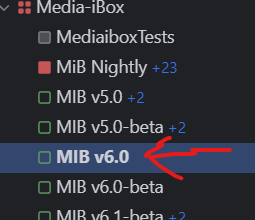
In the builds list, click on the desired item:

And the list of commits that made it into the build will be displayed:
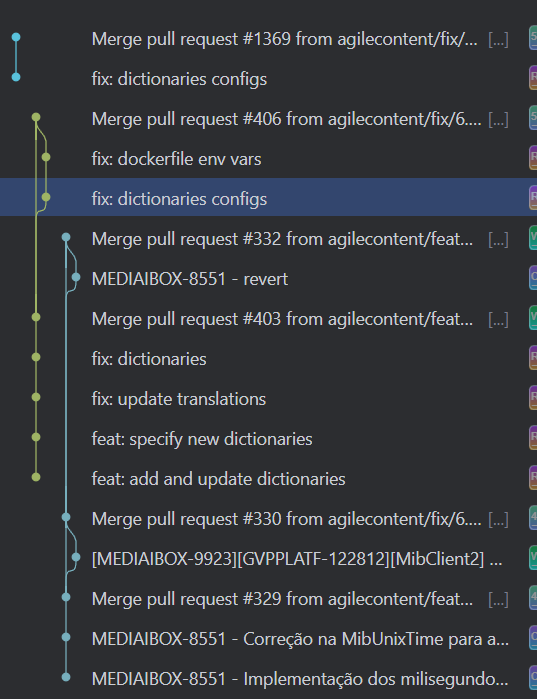
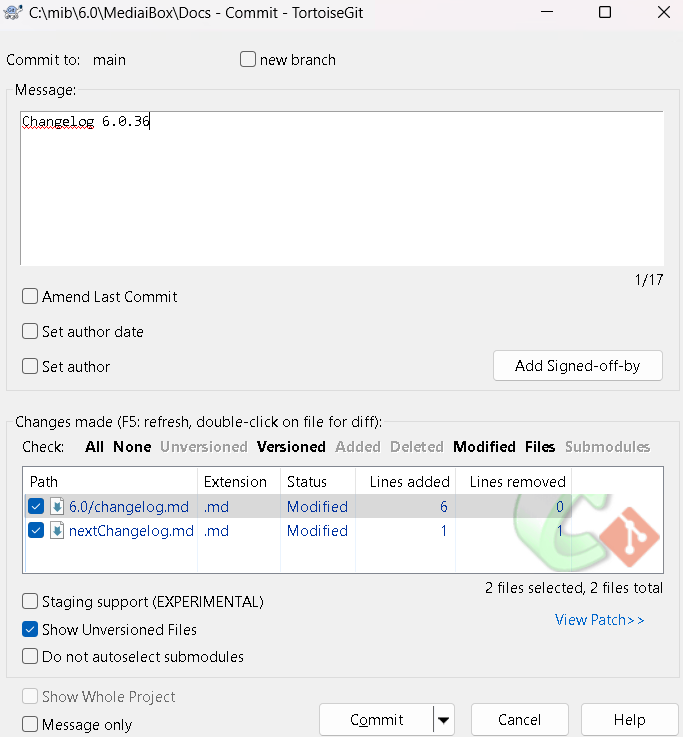
Once everything is correct, access the nextChangelog.md file and delete the PRs that were included in the package and commit everything to the main branch with the following comment:
Changelog 6.0.XX
Publish the changelog
To publish the documentation, just access the TeamCity URL:
https://teamcity.platform.agilecontent.solutions/
Select the Media-iBox project.
Access the MibDocs section and click Run.

After TeamCity finishes processing, to check the documentation just access the url http://docs.agilesvcs.com/mediaibox/6.0/changelog/ to check if everything is ok.
Get the link with the official version section anchor:

Open Teams, go to the Media-iBox team and access the General channel.
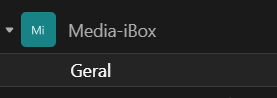
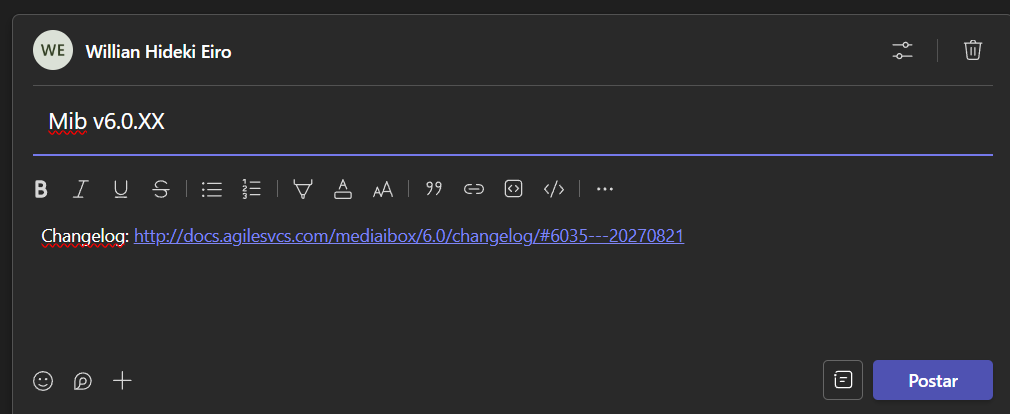
Create a post informing the mib version in the title and paste the link copied in the previous step.